AI Wall Run Video Generator
Turn a single photo into a gravity-defying AI Wall Run video. The camera sprint, wall angle and street backdrop stay close to the original clip, with you as the runner.
Create your video
1Your photo
Best results: one person visible from head to toe, facing the camera in even light. A full-body photo keeps the running pose readable. Avoid group shots, heavy filters and cropped feet.
2Length
Sample clips are placeholders made for this demo.
The catch
Filming a real AI Wall Run clip is harder than it looks
You need parkour-level moves
Running along a wall takes balance, practice and a safe place to try it — not something most people can film on a whim.
You need a camera crew
A convincing wall run needs a tracking shot, the right angle and someone who can keep you in frame while you move.
One take is rarely enough
Pavement, traffic and timing get in the way, so a clean clip can take an afternoon of retakes.
Side by side
Filming it yourself vs. using AI Wall Run
| Filming it yourself | With AI Wall Run |
|---|---|
| Train for a wall run first | No parkour needed, one photo is enough |
| Find a safe wall and a camera operator | No location scout or camera crew |
| Retake until the tracking shot lines up | Camera movement follows the original clip |
| Edit and export the footage | Download a finished MP4 |
How it works
How to make an AI Wall Run video in 3 steps
- 1
Upload one clear photo
A full-body photo works best: one person, facing the camera, in even light. JPG, PNG or WebP up to 10 MB.
- 2
Choose a length
Take a short street sprint or the full run. One credit covers one second of video.
- 3
Generate and download
The render finishes in a few minutes. Download the MP4 without a watermark and post it anywhere.
Made with AI Wall Run
One photo in, one finished clip out
No rig, no rooftop stunt and no editing timeline. Upload a clear photo, choose a length and the render rebuilds the wall run around you.
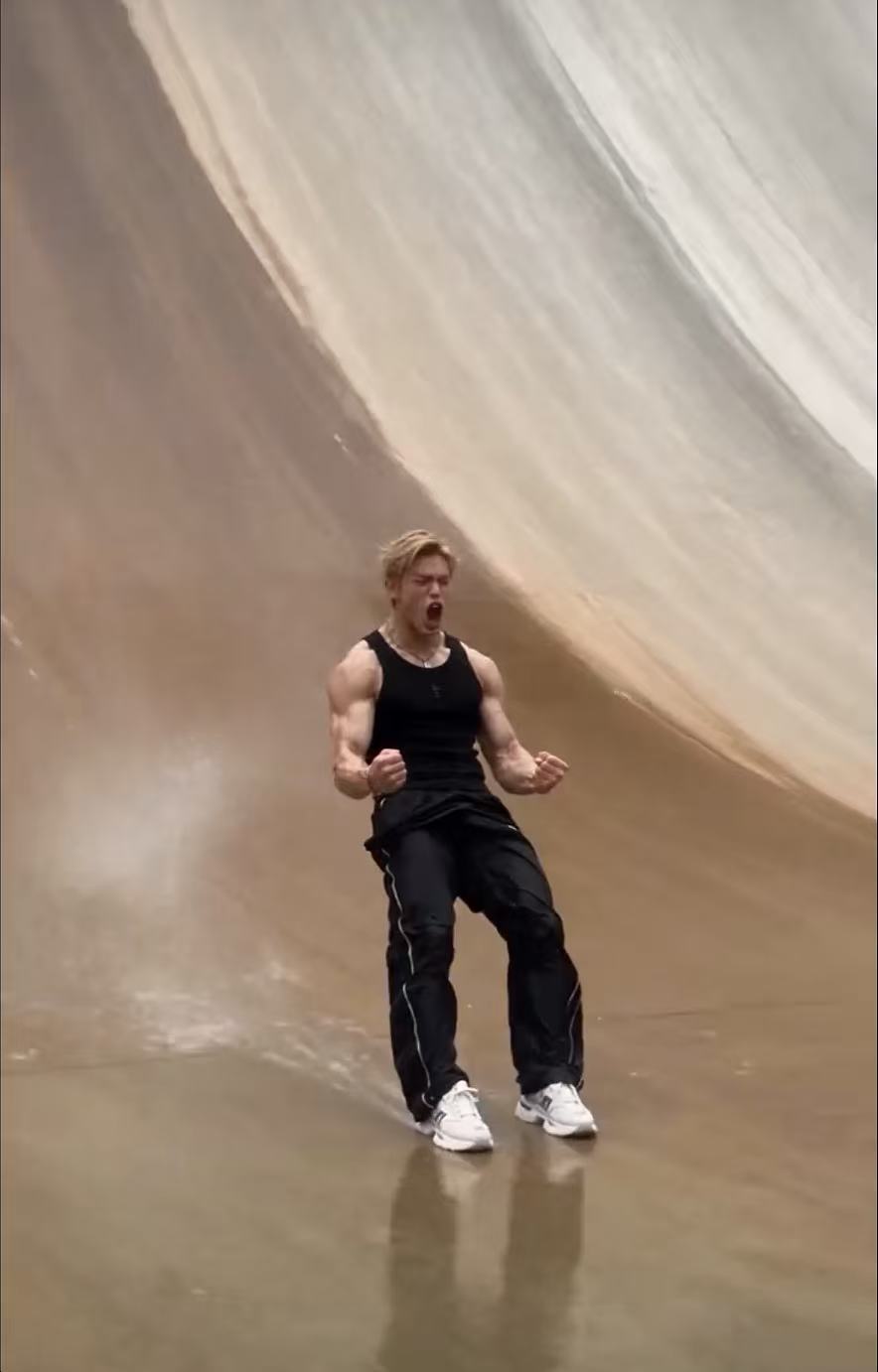
Generated clip
About the trend
What is AI Wall Run?
The AI Wall Run trend is a short vertical video format where the subject appears to sprint up or along a wall, defying gravity while the camera tracks the movement. The contrast between an ordinary street and a parkour-style move is what makes each version instantly recognisable.
An AI Wall Run Generator rebuilds that shot from a single photo. Instead of training for a wall run, finding a safe location and filming a tracking shot, you upload a portrait and the model renders you into the original movement, angle and street setting.
Read the full AI Wall Run trend guideFeatures
Everything you need for an AI Wall Run video
One photo is enough
A single clear, full-body photo is all the model needs to place you in the wall run.
Gravity-defying motion
The stride, camera tilt and wall contact follow the reference clip frame by frame.
Vertical and ready to post
Exports in 9:16 so it drops straight into Reels, Shorts or TikTok.
Pick your length
Grab a short opening shot or the full wall run. You only pay for the seconds you render.
Private by default
Uploads are stored privately, used only for your render and deleted automatically 7 days after upload.
Fair billing
Credits never expire. If a render fails, the credits go straight back to your balance.
Ideas
Ways to use an AI wall run
Open with a jump cut
Start a vlog or edit with a wall run that looks like it was shot by a film crew.
Try it with your photoTeam hype clip
Turn a teammate’s photo (with their OK) into a pre-game entrance for the group chat.
Try it with your photoCreator transitions
Use the wall run as a fast transition between outfits, locations or product shots.
Try it with your photoPricing
Pay once, use whenever
1 credit = 1 second of video. One full-length 18-second video costs 18 credits. No subscription, no expiry.
One video
One full-length 18-second wall run
$9.90
18 credits
Makes 1 × 18s or 3 × 6s videos
- Credits never expire
- All video lengths
- MP4 download, no watermark
- Automatic refund on failed renders
Three videos
Three full-length wall runs
$19.90
54 credits
Makes 3 × 18s or 9 × 6s videos
- Credits never expire
- All video lengths
- MP4 download, no watermark
- Automatic refund on failed renders
Five videos
Five full-length wall runs
$29.90
90 credits
Makes 5 × 18s or 15 × 6s videos
- Credits never expire
- All video lengths
- MP4 download, no watermark
- Automatic refund on failed renders
Prices in USD. Taxes are calculated at checkout by our payment partner.
What is AI Wall Run?
AI Wall Run is an AI Wall Run Generator: upload one photo and receive a vertical video of yourself running along a wall, with the original camera move and street setting.
How the AI Wall Run trend worksWhich photo works best for a wall run?
A recent, sharp full-body photo of one person facing the camera. Even light and visible feet help the running pose read clearly; group shots, sunglasses and strong filters lower the quality.
Photo tips for a better AI Wall Run videoIs the wall run real or AI?
Every clip made with AI Wall Run is AI-generated and labelled. Treat it as a visual effect, not proof that someone can actually run along a wall.
Can I make a wall run from a selfie?
A head-and-shoulders photo can work, but a full-body shot gives the model more to work with and usually produces a more convincing running pose.
How long does a render take?
Most videos finish in 2–8 minutes depending on length and queue. You can close the page; finished videos wait in My videos.
How do credits work?
Each second of video costs one credit. Credits are bought in packs, never expire and are refunded automatically if a render fails.
Can I use someone else’s photo?
Only with their permission, and never photos of minors, celebrities or public figures. Accounts that break this rule are closed.
What happens to my photos?
Uploads are private, used only to make your video and deleted automatically 7 days after upload. Finished videos are kept for 30 days after they finish. Deleting your account removes everything right away.
Your AI Wall Run entrance is one photo away
Upload a photo, pick a length and watch yourself take the wall.
Create my wall run · $9.90+